
Your consultation notes and prescriptions, written for you
Talk with your patient the way you always do, in English, Filipino, another Philippine language or a mix. VSynC Scribe drafts the notes and the prescription. You check them, sign and send.
Coming soon to the App Store and Google Play, for iPhone, iPad and Android.
Not at the screen, while you talk.
English, Filipino and other Philippine languages, mixed as people speak.
Every line is checked and signed by the doctor.
Every doctor's license is checked before they can prescribe.
A glimpse of the process
From conversation to signed prescription
No typing during the consultation. Four steps, all on your phone or iPad.
Ask first
The patient agrees to the recording. Nothing is recorded without that.
Just talk
Record the consultation. The audio stays on your device until you ask for a draft.
Check the draft
Gemini writes the transcript, your notes and a draft prescription. You correct anything.
Sign and send
Email the signed prescription to the patient, or print it at the clinic.
Built around the clinic day
From the waiting room to the prescription, and the record that follows the patient.
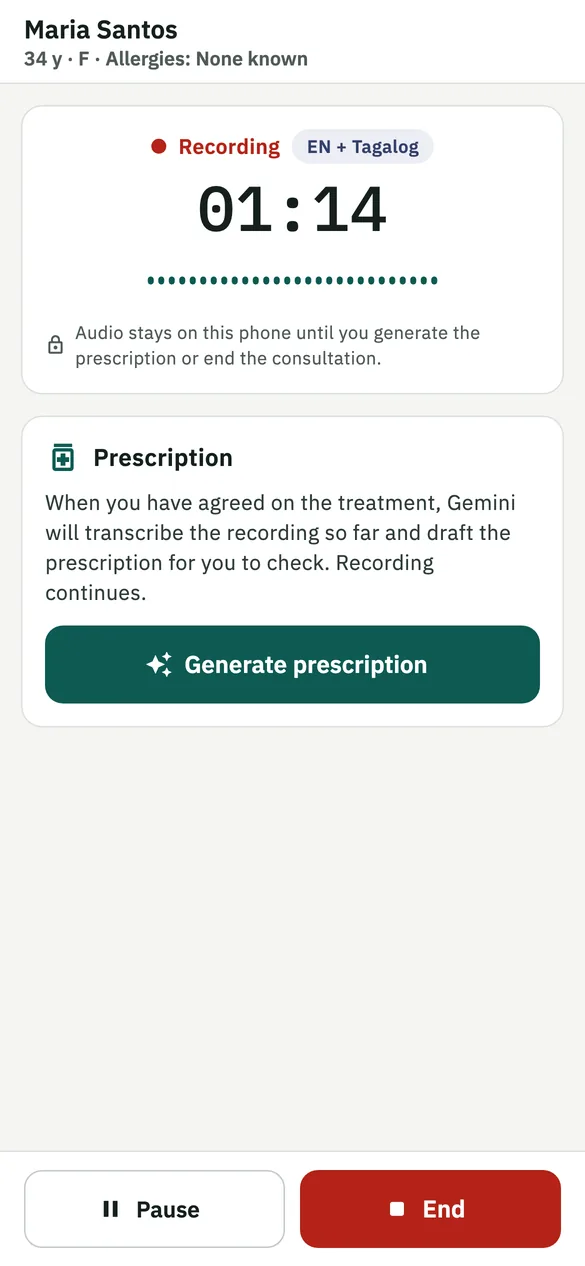
Just talk with your patient
VSynC Scribe understands consultations the way they really sound in the Philippines, with languages mixed in the same sentence.
- Pause, continue, and generate the prescription whenever you've agreed on the treatment.
- Recording keeps going if the screen locks.
- Recordings are deleted from the phone once the notes are written, and from our servers within a day.
A draft you can trust, and check
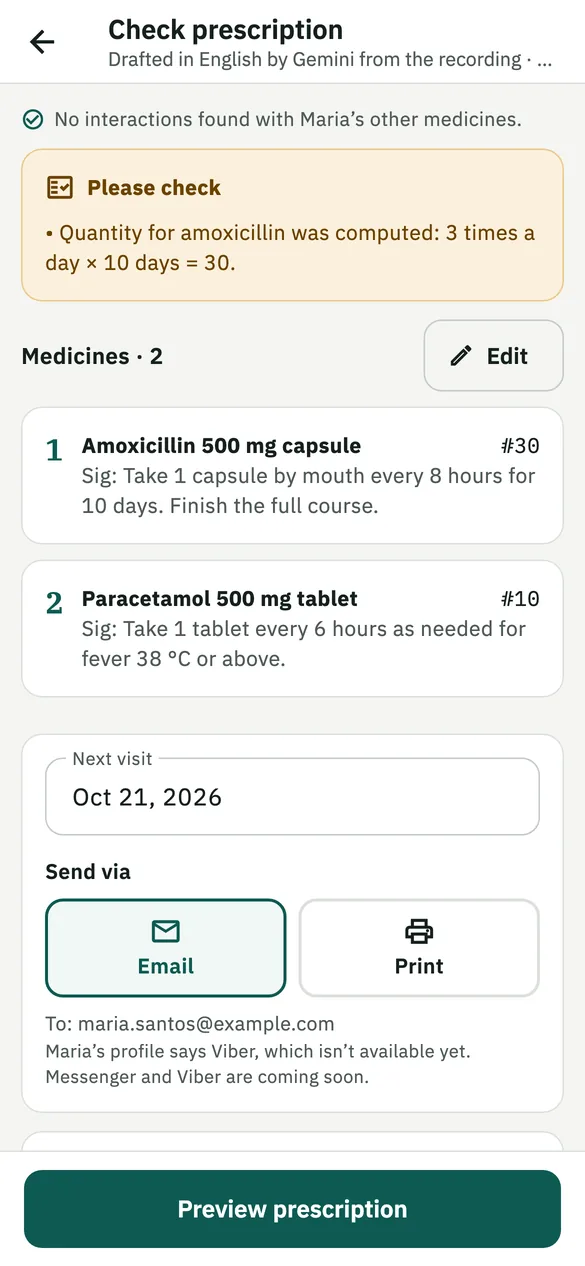
The draft comes with the checks a careful colleague would make.
- Warnings for the patient's allergies and for interactions with their other medicines.
- Quantities worked out from the dose and duration, and flagged for you to confirm.
- Nothing is sent until you have read it and chosen to send it.
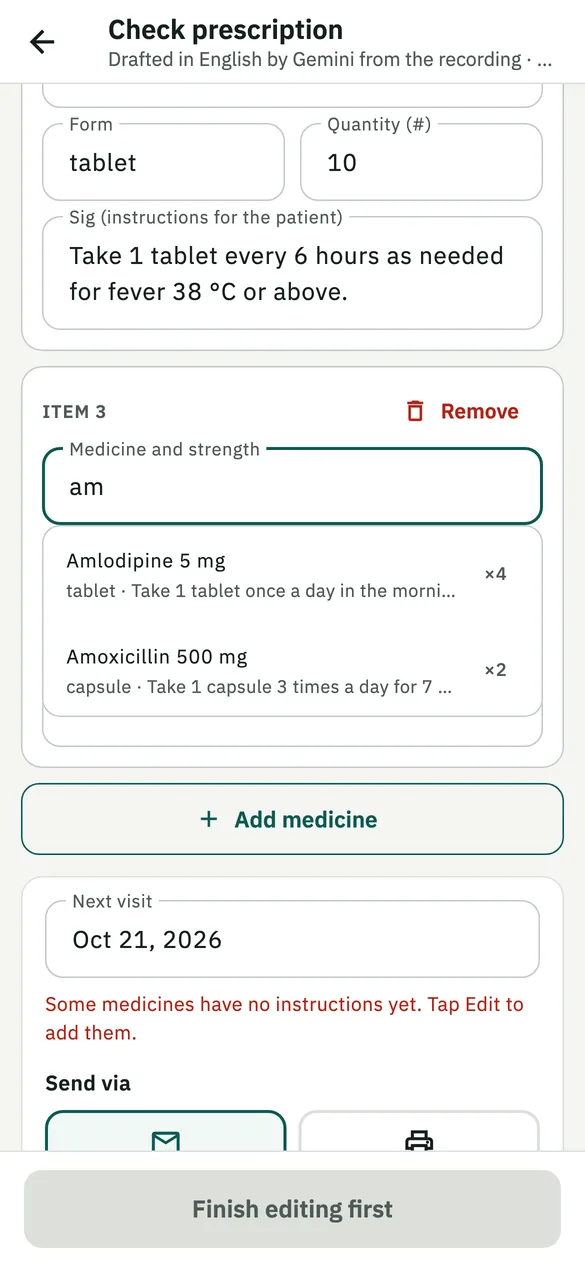
Your usual medicines as you type
The medicines you prescribe most come first, with your usual instructions. The scribe learns from your corrections and spells your medicines right.
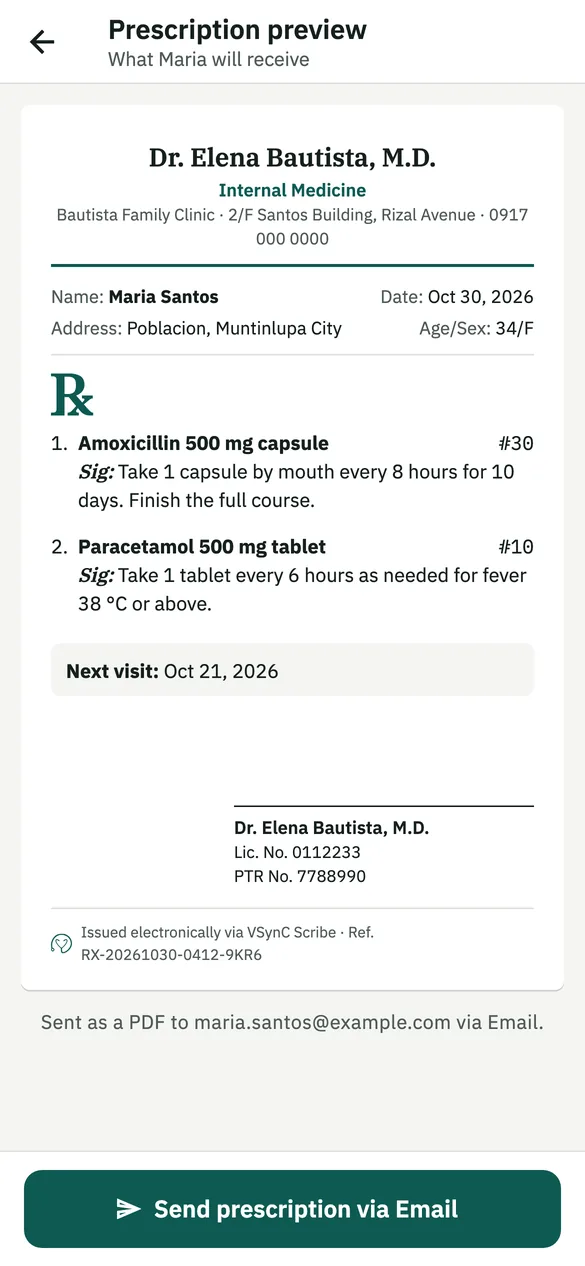
Signed, with your PRC and PTR numbers
Sign once. Every prescription carries your signature, license numbers and the clinic where you saw the patient.
- Send it by email as a PDF, or print it at the clinic for patients without email.
- Several clinics, each with its own address and schedule.
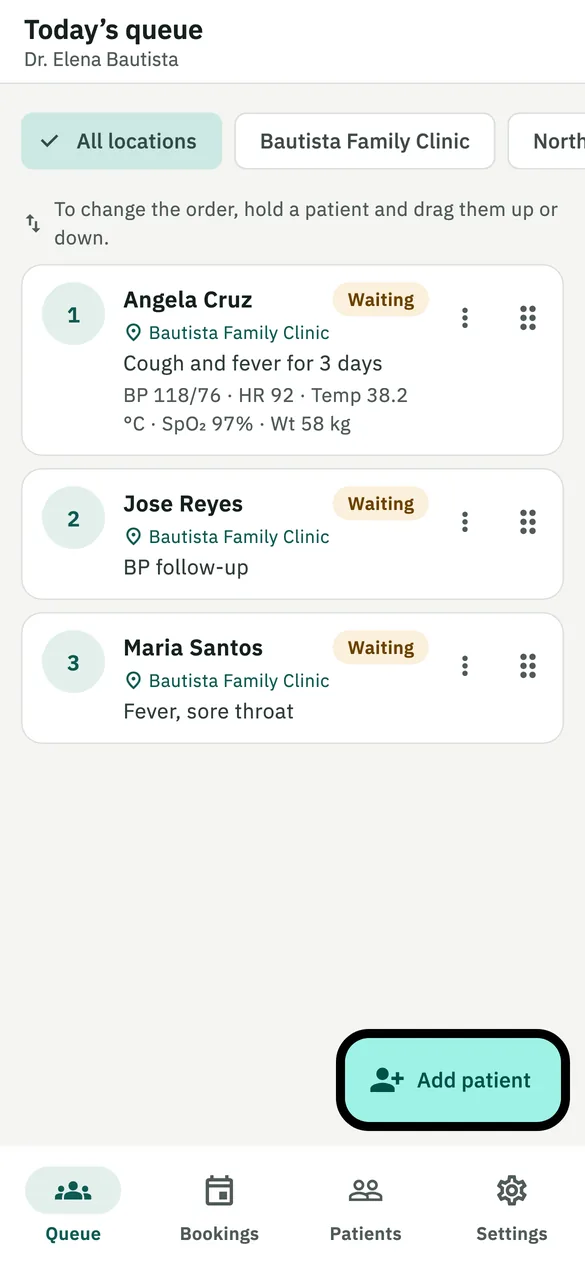
Your secretary runs the queue
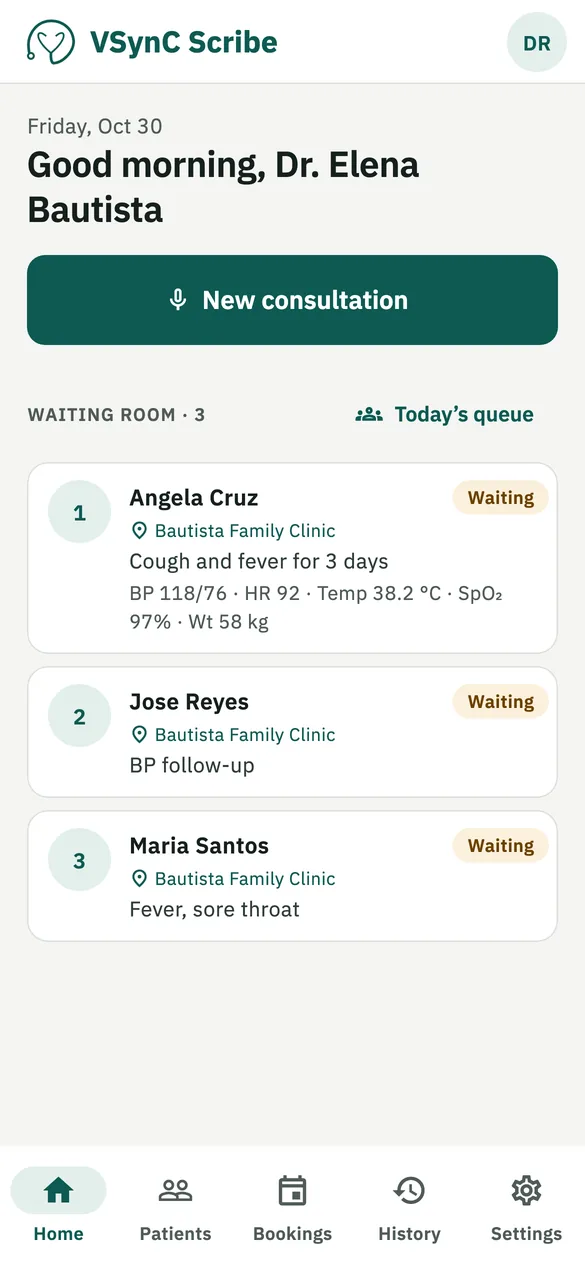
Patients, the reason for their visit and their vitals are added at the front desk, so you know who is waiting, and why, before they walk in.
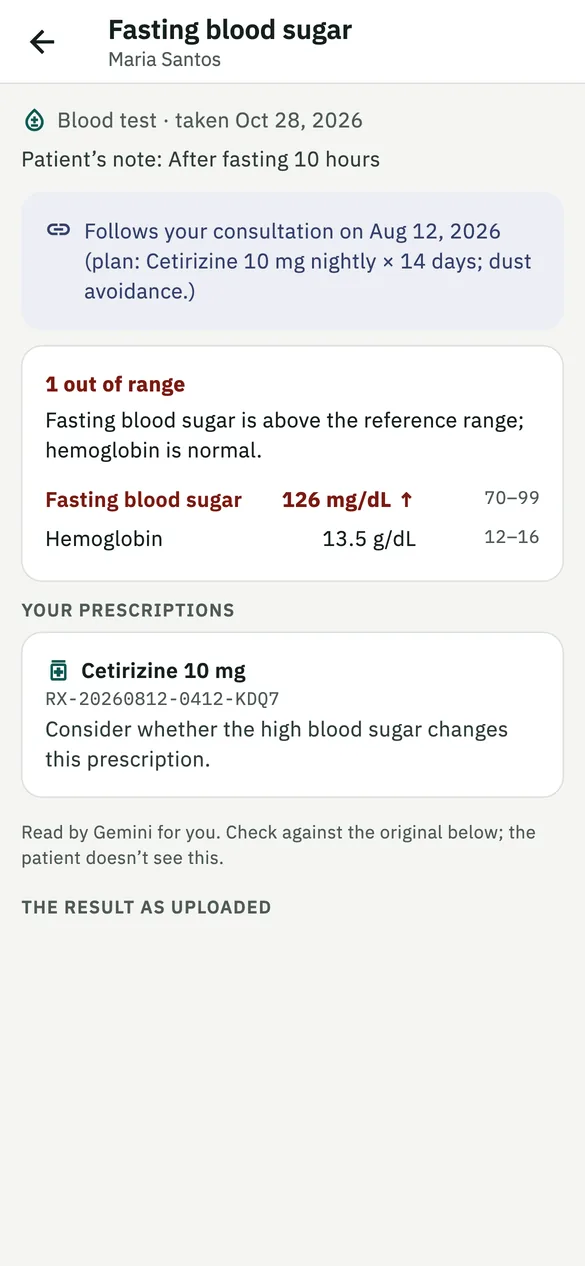
Records that keep up
Past consultations, prescriptions and results in one place.
- Patients add lab results as photos or PDFs. You see what is out of range.
- Notes with ICD-10 codes, and optional JCI-ready records: signed notes, addenda and corrections.
- Medical records kept as the Department of Health requires.
Why choose VSynC Scribe?
One app for the whole visit
Save time on every consultation
- Notes and a draft prescription in minutes.
- Your patients' history before they sit down.
- Works on iPhone, iPad and Android.
A calmer front desk
- Add patients to the queue and record their intake.
- Register new patients, with or without email.
- Quickly find a patient's record.
Prescriptions on your phone
- Every prescription from every visit.
- Share with the doctors you choose.
- See who opened your record, and when.
Made for medical records
Made in the Philippines, following the Data Privacy Act of 2012.
Patients choose who sees what
Prescriptions are shared only with the doctors a patient chooses. Each doctor's notes stay with that doctor.
Stored in Singapore, encrypted
Information is kept in Google Cloud data centres in Singapore, encrypted in transit and at rest. Patients can see who opened their record, and when.
Only verified doctors
Every doctor's PRC license is checked before they can prescribe, and accounts can be deleted at any time in the app.
Ready to try VSynC Scribe in your clinic?
Reach out for early access or a demo for your clinic.